Google tag
Published Updated
Integrations › Google tag has the tenant's site load the Google tag: Google Analytics 4 for a measurement ID, Google Tag Manager for a container ID, or both. This page takes a Tenant admin through the IDs, the three places the tag can be loaded from, and what each of them needs set up in Google Analytics and Google Tag Manager.
Only a Tenant admin sees Google tag, and every saved change is recorded in Audit logs as Google tag updated. The setting covers the site in the browser. The tenant's app loads no Google tag.
Before you start
- A Google Analytics 4 property with a web data stream for the site, or a web container in Google Tag Manager, owned by the publisher. A container is the place for every tag besides Google Analytics, as described below.
- A privacy policy that covers the tag. The tag sets cookies of its own and sends what it collects to Google, which Publira's own list of what the site stores does not cover. Write that into the policy before the tag goes live, as Pages describes.
The IDs
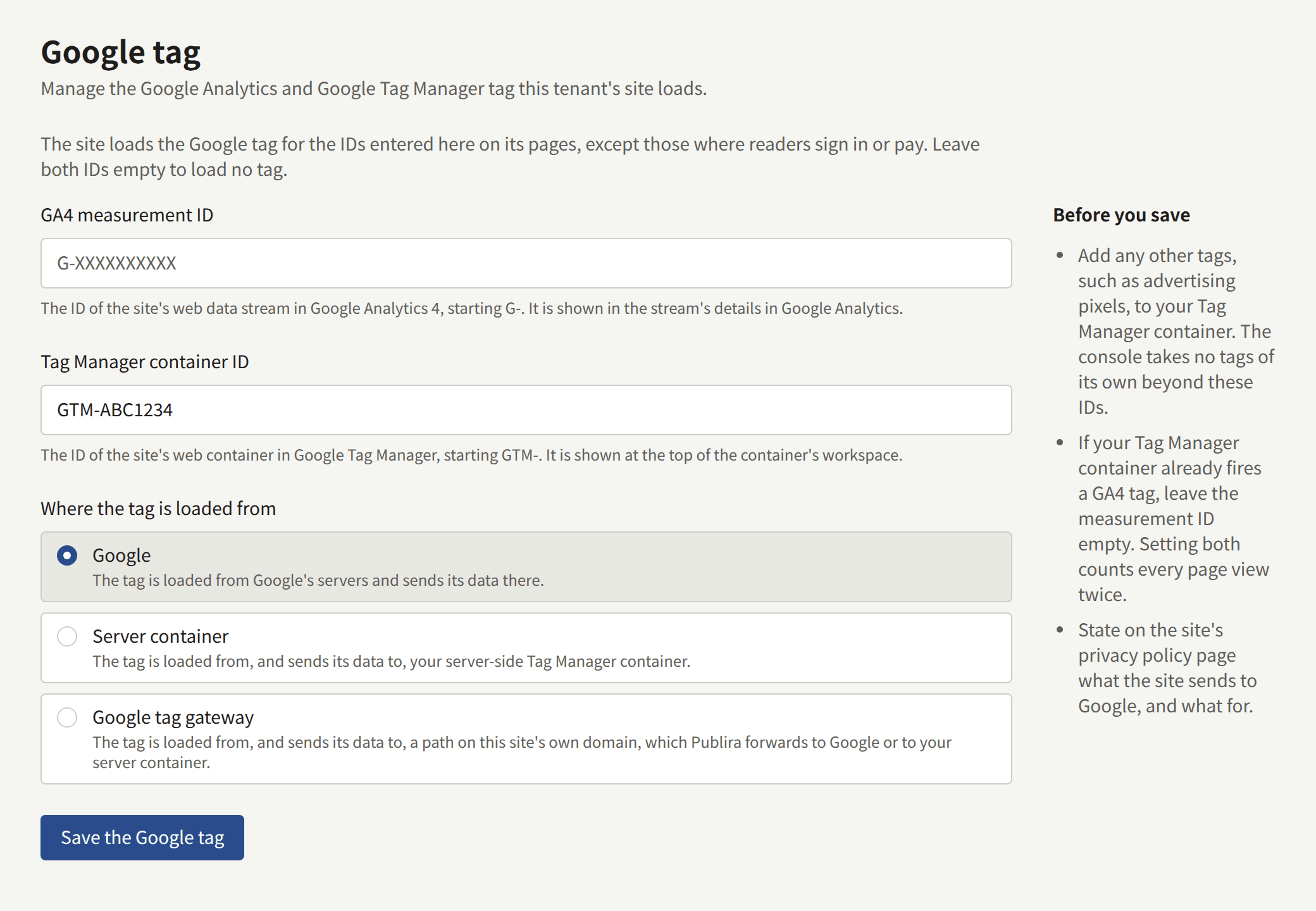
- GA4 measurement ID: the ID of the site's web data stream, starting
G-. Google Analytics shows it under Admin › Data collection and modification › Data streams, in the details of the stream. A Universal Analytics ID, startingUA-, is refused, since Google no longer collects data for one. - Tag Manager container ID: the ID of the site's web container, starting
GTM-. Google Tag Manager shows it at the top of the container's workspace.
Enter the one the site is measured with:
- A container alone when Google Analytics is set up inside it. A container that fires a GA4 tag and a GA4 measurement ID beside it count every page view twice, which Before you save warns about.
- A measurement ID alone when the site has no container.
- Both only when the container does not fire GA4 itself, such as a container that holds advertising tags alone.
The console takes no tags of its own beyond these two IDs. An advertising pixel, a conversion tag, or any other tag goes into the Tag Manager container, which the site then loads with everything in it. Leave both IDs empty, and save, to stop loading any tag.
The site moves between its pages without reloading them, so a page view after the first one is counted from the change the browser records in its history. GA4's enhanced measurement counts these by default, whether the GA4 tag is loaded by the site or fired from a container. If page views based on browser history events are turned off for the stream, a visit counts its first page only.
Where the tag is loaded from
Where the tag is loaded from decides where the reader's browser fetches the tag's script, and where the tag sends what it collects:
| Mode | The tag is loaded from | It sends its data to | It needs |
|---|---|---|---|
| Google's servers | Nothing more | ||
| Server container | The tenant's server-side Tag Manager container | The server container | A Server container URL, and the server container URL set on the Google tag in the Tag Manager container |
| Google tag gateway | A path on the site's own domain | The same path, which Publira forwards to Google or to the server container | Setting up the gateway in Google Tag Manager |
Google is the default, and needs nothing set up besides the IDs.
Server container
Server container loads the tag from a server-side Tag Manager container the publisher runs, and the tag sends its data there rather than to Google. Publira does not run the container.
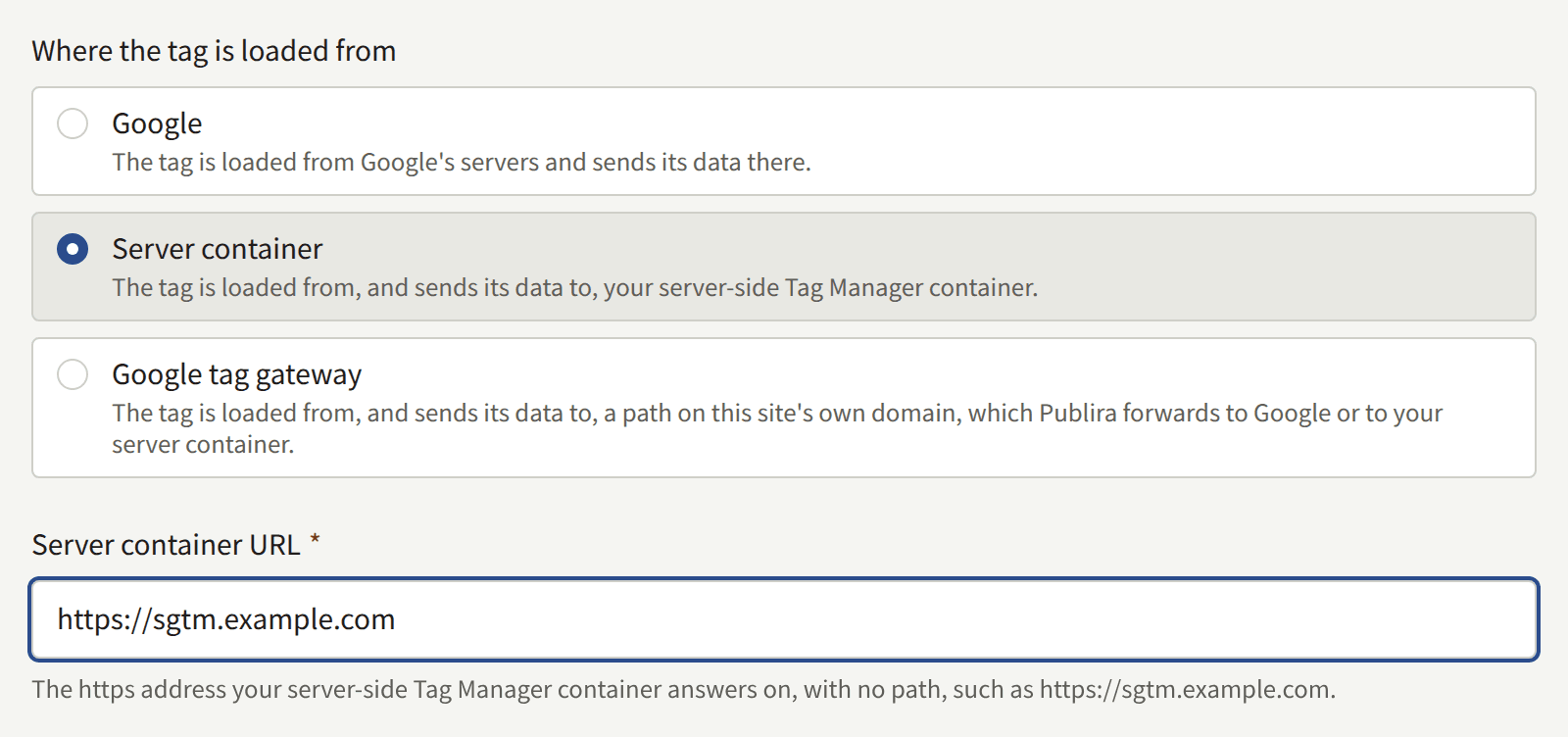
Server container URL is the https address the container answers on, with no path, such as https://sgtm.example.com. It has to be a domain name: an IP address is refused. Serving the container on a subdomain of the site's own domain keeps the tag first-party, which is the arrangement Google recommends in Map a custom domain.
The site loads gtm.js and gtag.js from that address, under the paths Google serves them on. The container therefore has to serve Google's scripts as well as receive the data, as Google's Load Google scripts first-party describes for a tagging server. A container that does not serve them loads no tag on the site, and the site measures nothing until it does.
Where the data goes depends on which ID loads Google Analytics:
- A GA4 measurement ID: the site tells the GA4 tag it loads to send its data to the server container. Nothing more is needed.
- A Tag Manager container ID: the site loads the container from the server container, but the tags inside it send their data wherever the container tells them to, which is Google until it is changed. In the web container, set
server_container_urlto the Server container URL on the Google tag, and publish the container, as Google's Send data to server-side Tag Manager describes. Until then the site measures as before, with every hit going to Google directly.
Google tag gateway
Google tag gateway is what Google calls Google tag gateway for advertisers: the tag is loaded from, and sends its data to, a path on the site's own domain, and Publira forwards what arrives there to Google. Ordinarily a site's owner sets this up on their own CDN or load balancer. A Publira site's domain is served by Publira, so Publira does that part, and what is left is to tell Google Tag Manager about the path.
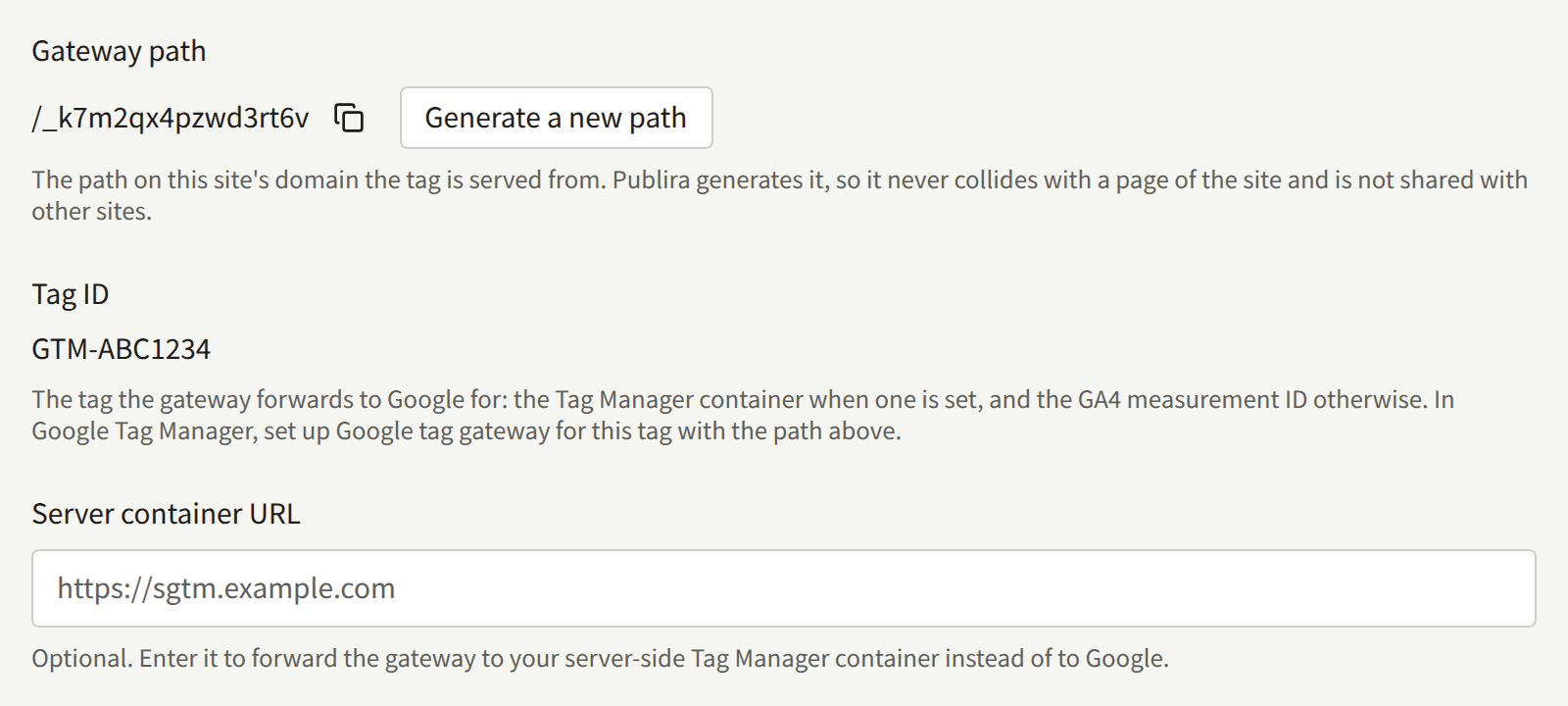
- Gateway path is the path the tag is served from, such as
/_k7m2qx4pzwd3rt6v. Publira generates it the first time the form is saved in this mode, so it never collides with a page of the site and is not shared with any other site. It stays when the tenant switches to another mode, so switching back serves the tag where it was served before. - Tag ID is the tag the gateway forwards to Google for: the Tag Manager container ID when one is set, and the GA4 measurement ID otherwise. A container covers every tag it fires, so a site with both is set up once, for the container.
- Server container URL is optional here. Enter it to have the gateway forward to the publisher's server container instead of to Google; the container then has to answer the gateway path itself, as Google's Load Google scripts first-party describes. Publira connects to it only where its name resolves to a public address, so a container on a private network is not reached.
Publira forwards a request on the gateway path as it came, path and query included, to https://<Tag ID>.fps.goog, or to the server container. Of the reader's cookies, it passes only Google's own measurement cookies, such as _ga, _gcl_au, and FPID, and it lets back only those. The reader's sign-in to the site, and every other cookie of the site, never leave Publira. The reader's IP address is passed on, as Google's gateway expects. Their country and region are passed on when the install's edge looks them up, which Google uses for reporting by region and for region-specific consent defaults; behind an edge that does not, Google reports the site's traffic through the gateway with no region. Ask whoever runs the install which it is.
Setting it up in Google Tag Manager
- Save the form in the Google tag gateway mode, and copy the Gateway path it shows.
- For a container, open it in Google Tag Manager and go to Admin › Google tag gateway. For a measurement ID without a container, open the Google tag's settings instead: in Google Analytics, Admin › Data collection and modification › Data streams, the site's stream, Configure tag settings, and then Admin › Google tag gateway.
- Select Continue, and enter the site's address under Scan your site.
- Publira is none of the CDNs Google connects to on your behalf: under More ways to set up, choose Guided, and give the Gateway path as the measurement path. The routing the guided instructions then describe, from the path to
fps.goog, is what Publira already does, and needs nothing from you.
Google's setup guide describes that routing for a site that does its own, which shows what Publira does in its place.
Checking that it works
- The path answers. Open
https://comics.example.com/<gateway path>/healthyin a browser, with the site's domain and the Gateway path. It readsokonce the gateway reaches Google. Google's second check,?validate_geo=healthy, does not readok, since Publira does not pass the reader's country and region. - The hits go through it. Preview the container in Tag Assistant and browse the site. Under Summary › Output › Hits Sent, the hits are sent to the gateway path.
- Google sees it. The Google tag gateway screen in Google Tag Manager shows the site's domain as Pending until Google has received data through the path, and as First-party after that.
Generating a new path
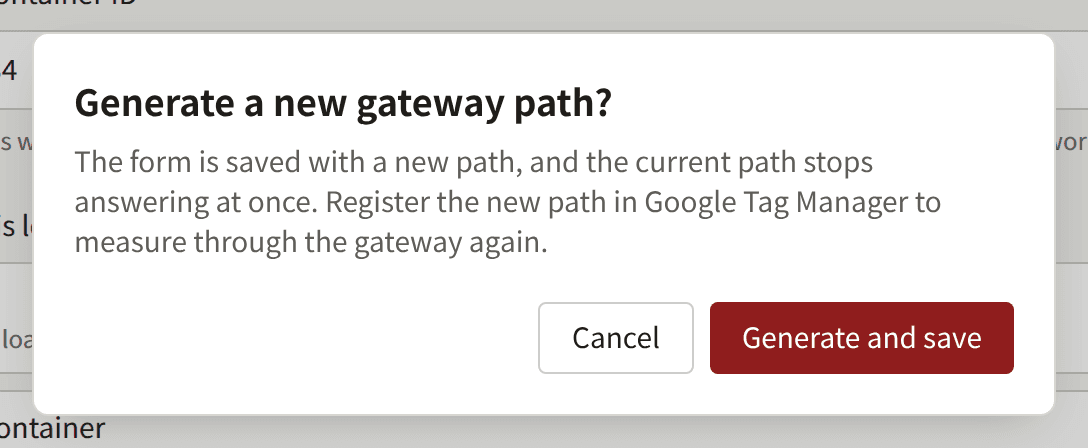
Generate a new path replaces the Gateway path. It saves the form with a new path, and the current path stops answering at once, so the site measures nothing through the gateway until the new path is set up in Google Tag Manager in its place.
Pages that load no tag
The site loads the tag on every page except the ones where a reader gives it a password, a passkey, or a link from a mail:
- Sign in and the sign-up page.
- The steps an account mail leads through: confirming an email address, resetting a password, and resending a confirmation mail.
- Settings, and every page under it.
Payment is taken on the payment provider's checkout page, which loads none of the site's tags. The reader comes back from it to a page of the site that loads the tag as usual, so a purchase can be measured on the page they return to.
One of these pages opened directly, or reloaded, loads no tag. A tag already running when a reader moves to one of these pages from another page of the site keeps running, since the site does not reload the page in between.
What the privacy policy has to say
Before you save asks for the site's privacy policy page to say what the site sends to Google, and what for. The tag sets Google's cookies and sends what it collects to Google, or to the server container, and so does every tag the container fires. Pages lists what Publira itself keeps in a reader's browser, and the policy covers the tag in addition to that list, from Google's documentation and that of each tag in the container.
Consent Mode, and a consent banner that asks readers before the tag runs, are not part of this setting.
When a change reaches the site
The site picks up a saved change moments after it is saved, on its next page load. A regenerated gateway path stops answering on the next request.